Fine-Tuning Jobs
A fine-tuning job trains an open base model on one of your datasets and produces a checkpoint. You submit a base model, a dataset, and a small set of hyperparameters; the platform renders the full training configuration, schedules the GPU job, runs it, and registers the resulting checkpoint. This page covers creating a job, the hyperparameters you control, monitoring, and what you get back.
Prerequisites
- A dataset in
readystatus (see Datasets). A job cannot read anassemblingdataset. - A supported base model. Base models are drawn from an allow-list; models outside it are rejected.
Creating a job
To start a job you pick a base model, choose a ready dataset, set the hyperparameters below,
and pick a GPU instance. You do not provide a training script, an environment, or a container
image. The platform validates your inputs (model against the allow-list, hyperparameters against
allowed ranges, dataset against its status, format, and organization), renders a complete
training configuration, and schedules the run on the GPU instance you chose.
Hyperparameters
| Field | Meaning |
|---|---|
base_model | HuggingFace id of the open model to fine-tune. Must be on the allow-list. |
dataset | The ready dataset to train on. Must belong to your organization. |
learning_rate | Optimizer learning rate. |
epochs | Number of passes over the dataset. |
effective_batch_size | The batch size you reason about. The platform realizes it via gradient accumulation and an automatically chosen micro-batch size that fits the GPU. |
max_seq_length | Maximum token length per example. Longer examples are handled per the trainer’s packing settings. |
lora_rank | LoRA rank. Controls adapter capacity. Omit for full-weight fine-tuning where supported. |
lora_alpha | LoRA scaling factor. |
instance_size | The GPU instance to run on. Multi-GPU instances train distributed automatically. |
You reason in terms of effective_batch_size; the platform finds a micro-batch size that fits
the chosen GPU at runtime, so you do not have to tune memory by hand. On a multi-GPU instance,
the job runs distributed without any extra configuration from you.
Monitoring a job
Token Factory lists your jobs with their current status, and lets you open a single job to see its detail or cancel it while it is running.
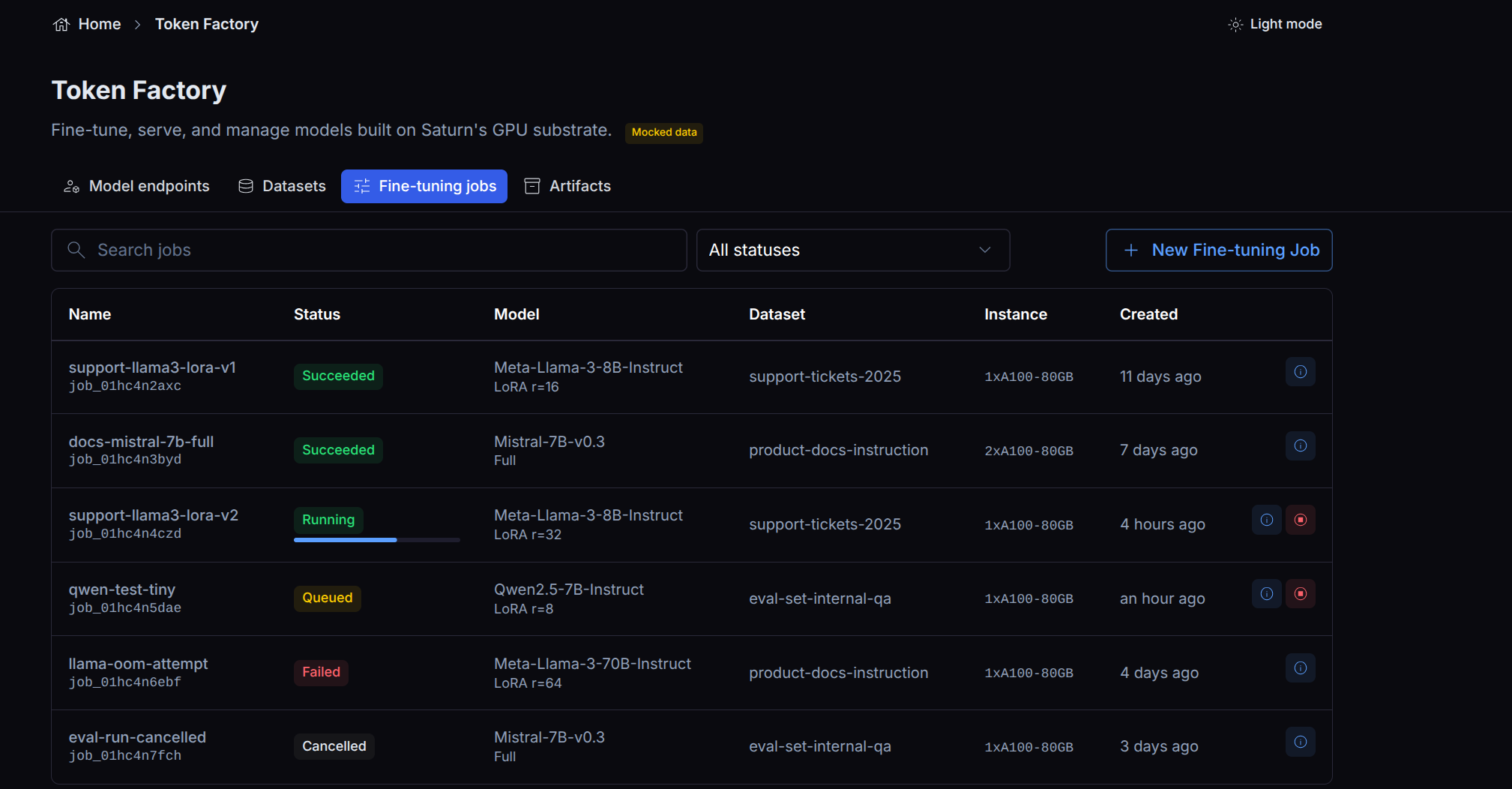
A job’s status reflects the underlying run:
| Status | Meaning |
|---|---|
pending | Scheduled, waiting for a GPU node. |
running | Training. |
stopping | Cancellation in progress. |
stopped | Cancelled before completion. |
completed | Finished successfully. A checkpoint is available. |
error | Failed. No usable checkpoint. |
What the job view shows
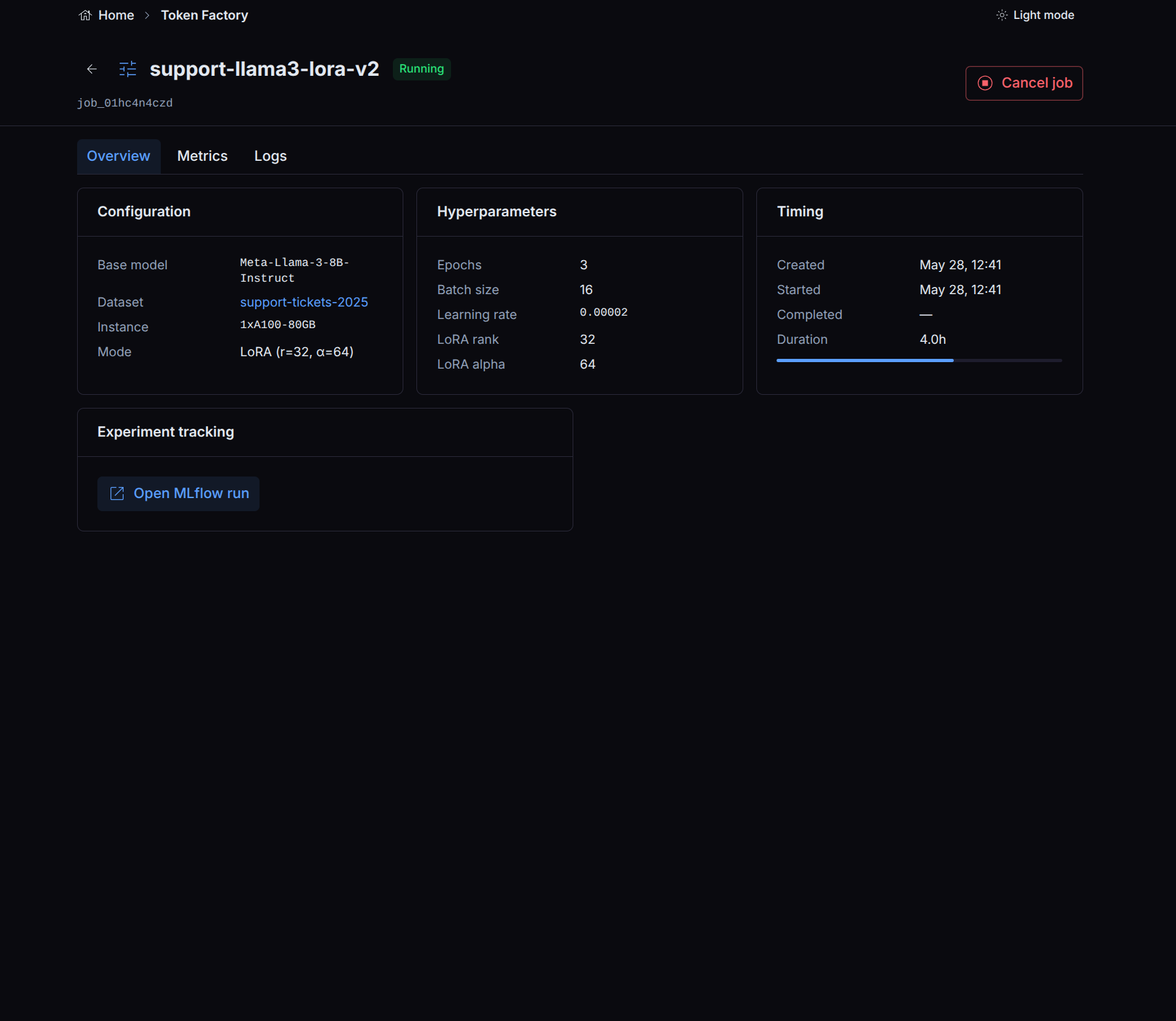
The job view is an explicit, curated set of fields. It shows the job’s name, status,
base model, dataset, the hyperparameters you submitted, and a checkpoint reference once
training completes. The hyperparameters are read back from the rendered training configuration,
so the numbers on the view always match the numbers you submitted (including
effective_batch_size, reconstructed from the realized gradient-accumulation and micro-batch
values).
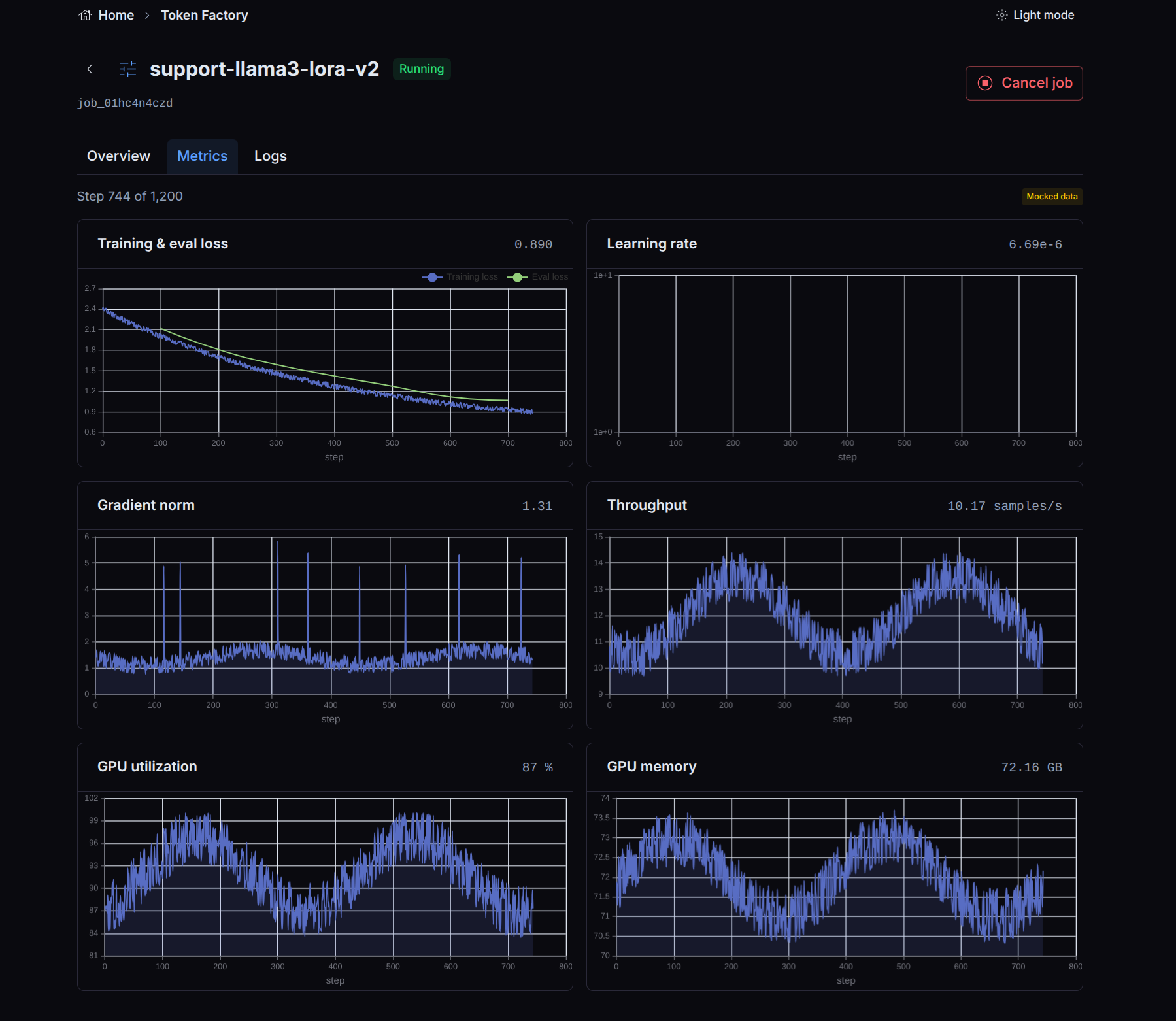
The job’s Metrics tab plots training and evaluation loss, learning rate, throughput, and GPU utilization as the run progresses.
The view deliberately does not expose the underlying deployment’s environment variables, command, or image. Because you can place secrets in a job’s environment, the view never echoes those back.
The checkpoint
A successful job produces at most one checkpoint, registered automatically when training
finishes. The job view’s checkpoint field points at it once it is ready; until then the field
is empty. The checkpoint records which job produced it, giving you lineage from a served model
back to the exact run and hyperparameters.
If a job fails or is killed before it finishes (out-of-memory, eviction, node loss), no checkpoint is registered as ready, and the job view reflects the failure. The platform reconciles the job’s final state regardless of how it ended.
Experiment tracking
If your organization has an experiment tracker configured (Weights & Biases, MLflow, or Comet), runs are logged to it automatically and tagged with the job’s identity, so you can deep-link from a job to its tracker run. If no tracker is configured, nothing is logged and the job runs normally. Experiment tracking is optional and has no effect on whether a job succeeds.
Next step
Once a job has produced a checkpoint, serve it as an Inference Endpoint.