scikit-learn Tabular Classifier
Overview
Gradient Boosting Machine (GBM) is one of the most powerful and popular machine learning algorithms for tabular data (data organized in rows and columns). It is an ensemble method, which means it combines multiple individual models (typically decision trees) to make more accurate predictions than any single model could achieve on its own. GBM works by sequentially building trees, where each new tree tries to correct the errors made by the previous ones. This iterative process makes it particularly effective for complex datasets with non-linear relationships.
In this template, we utilize:
- Wine Quality Dataset: A classic dataset containing chemical properties of wines.
- Gradient Boosting: A powerful ensemble method for high-performance classification.
- Feature Interpretability: Visualizing which factors (like alcohol or acidity) most impact wine quality.
Why use this template?
Use this template as a production-ready foundation for any tabular classification task. It implements best practices for data splitting, model training, and performance metrics. Whether you are analyzing logistics, customer churn, or environmental data, this scikit-learn and Pandas foundation is designed to scale with your needs.
Getting Started
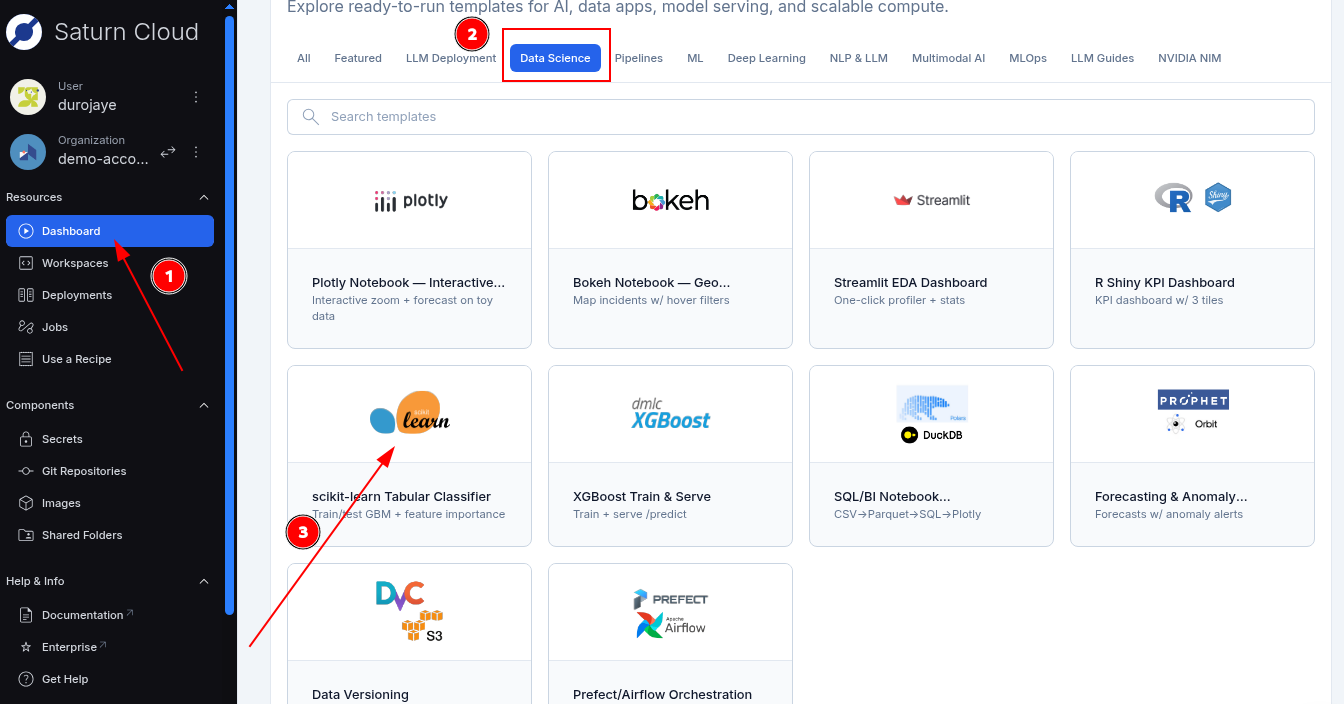
- Simply log in to Saturn Cloud.
- Click on the dashboard in the top-left sidebar.
- Scroll down to the Templates & Starter Kits section
- Select the Data Science category
- Click on scikit-learn tabular classification.
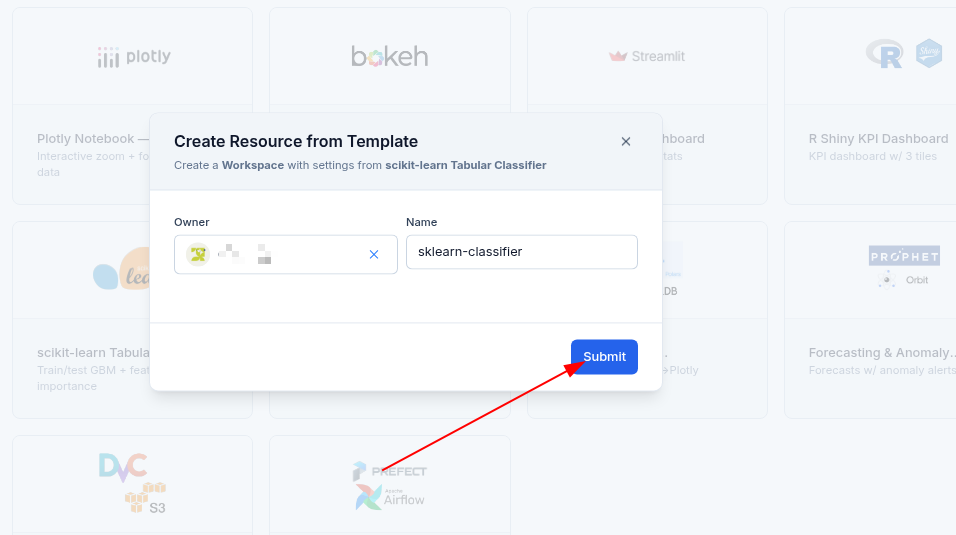
- In the Create Resource from Template modal, click Submit.
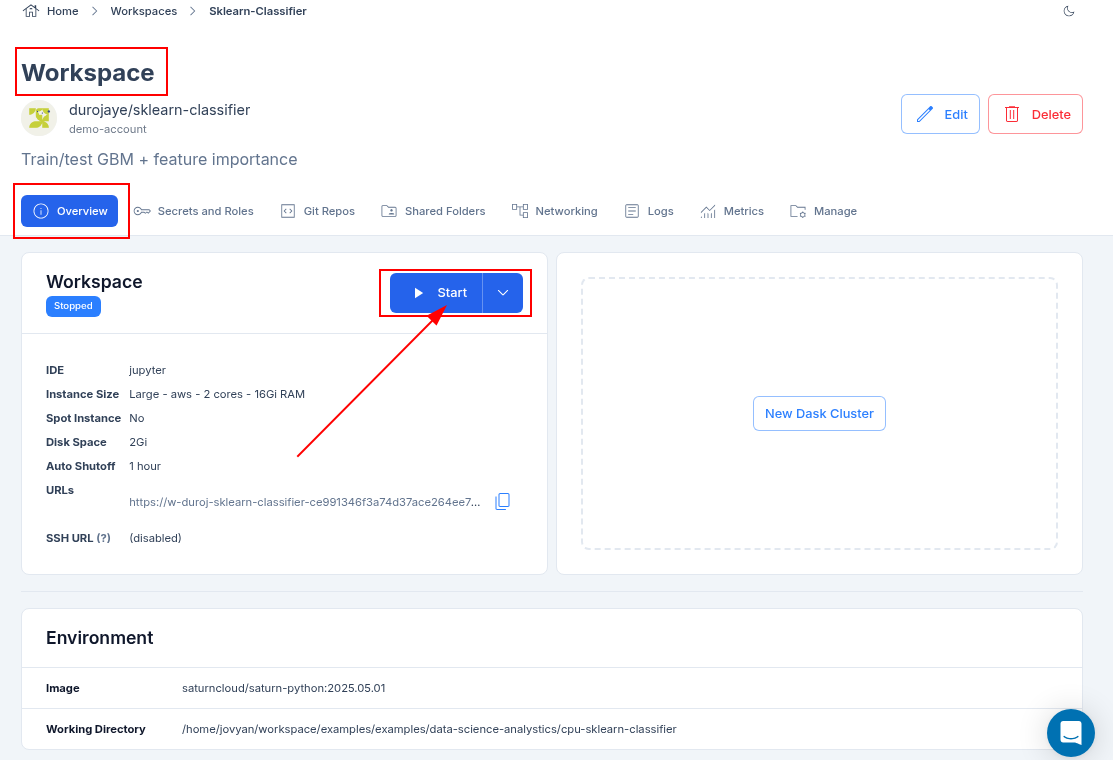
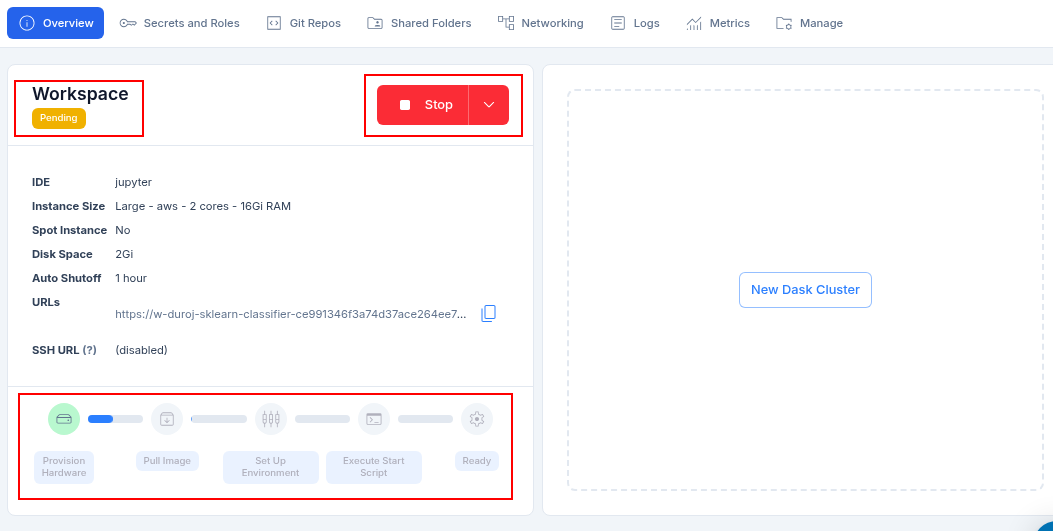
- After clicking on the Submit button, you will be taken to the Workspace page where all the configuration about the resource is located. From there, you click on the start button to start the template.
- The resource takes a few minutes to start and provision all the necessary software. The software bar will gradually fill up at the bottom of the resource information box.
- Once the template resource is running, you can click on the JupyterLab tab to open the notebook and begin your analysis.
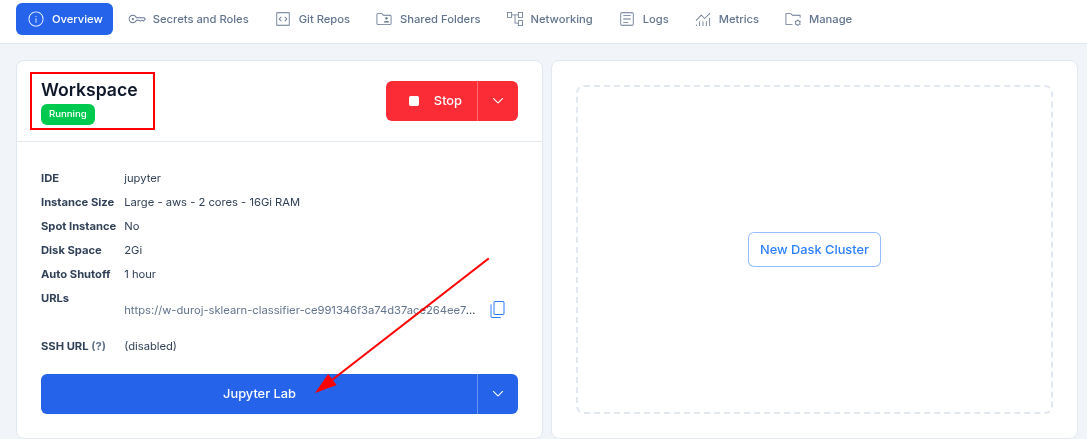
Note: A new tab will open with the notebook, as seen in the image below.
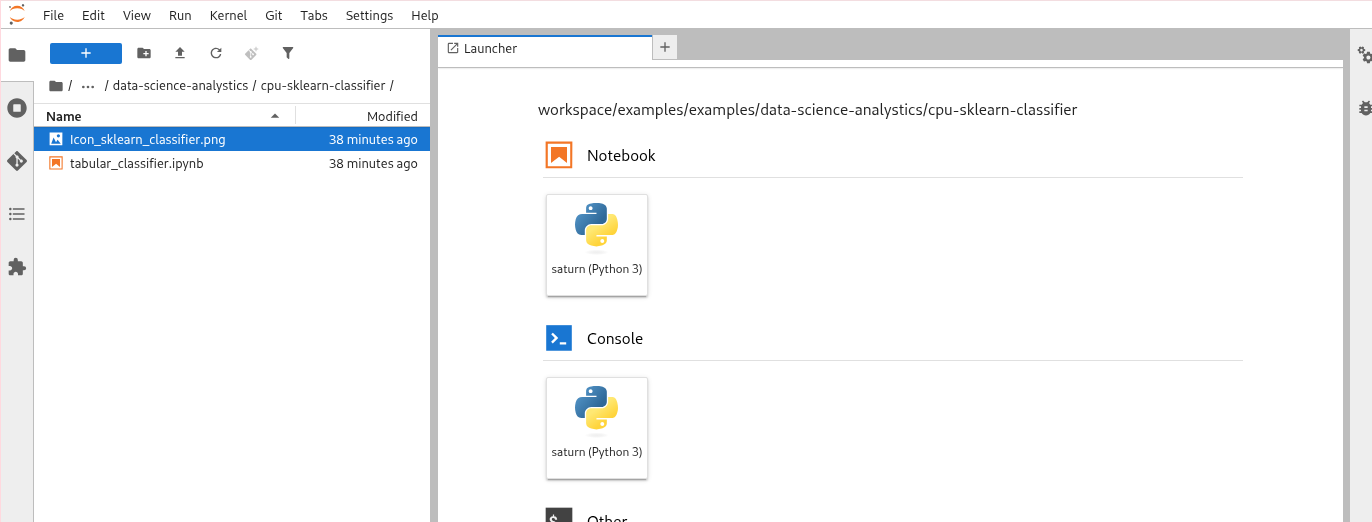
- In JupyterLab, double-click the notebook file in the left sidebar to open it. Then, press Run All in the top menu to execute the code and train your classifier.
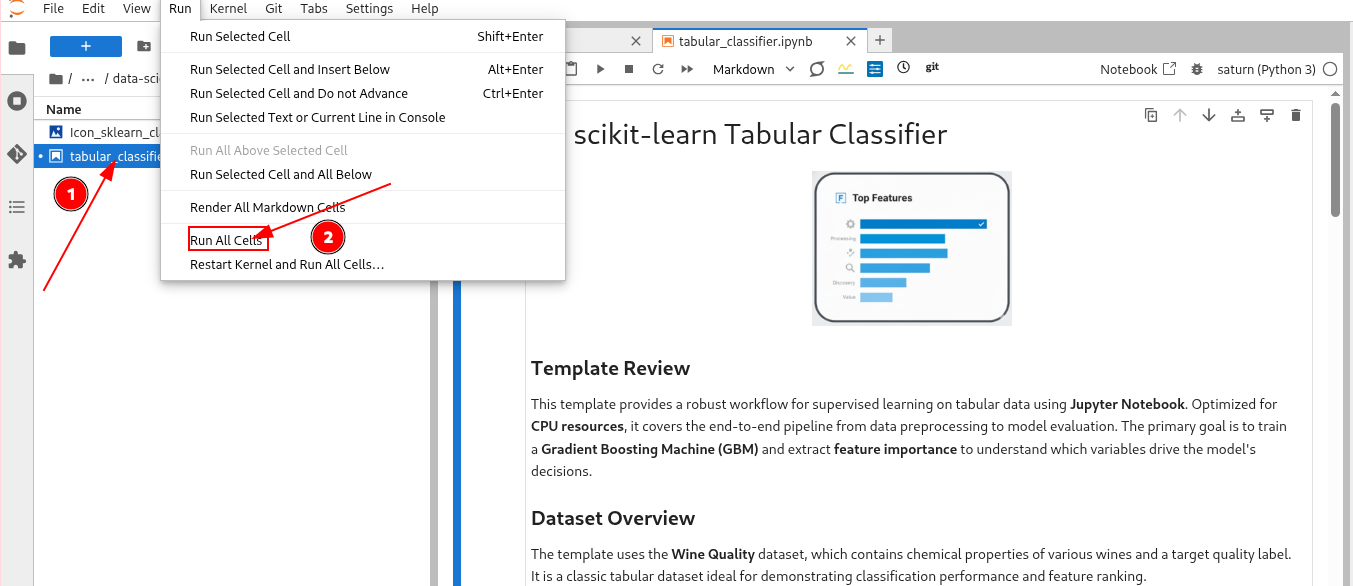
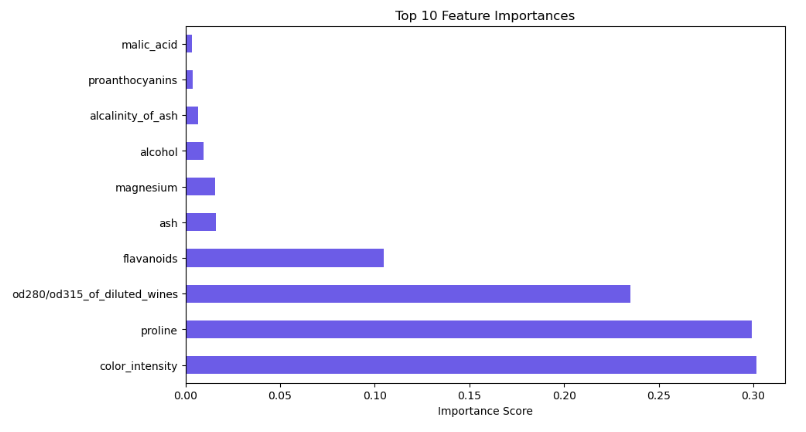
- Once the execution completes, the feature importance plot and classification report will render directly in the notebook.
What to Expect in the Notebook
The included notebook is self-contained and guides you through a complete machine learning workflow:
- Dependency Management: Installing core libraries (
scikit-learn,pandas,matplotlib,seaborn) into your active environment. - Data Loading & Preprocessing: Loading the Wine Quality dataset and performing a Train/Test split to ensure model generalization.
- Gradient Boosting Training: Initializing and fitting a
GradientBoostingClassifierwith optimized hyperparameters. - Feature Importance Analysis: Generating a horizontal bar chart to visualize the top variables driving the model’s predictions.
Troubleshooting & Best Practices
- Imbalanced Data: If your target classes are not evenly distributed, consider using
class_weight='balanced'or stratified splitting intrain_test_split. - Memory Management: For extremely large tabular datasets (multi-gigabyte), consider using Dask or increasing the RAM on your Saturn Cloud resource.
- Hyperparameter Tuning: This template uses sensible defaults. For higher accuracy, you can implement
GridSearchCVorRandomizedSearchCVfromsklearn.model_selection.
Key Features
- End-to-End Pipeline: Covers everything from raw data ingestion to final model evaluation.
- Interpretability Focus: Built-in feature importance plotting to explain model decisions.
- Optimized Performance: Leverages Gradient Boosting for state-of-the-art results on tabular data.
- Zero Setup Hassle: Pre-configured to run on standard CPU resources within Saturn Cloud.
Conclusion
This template demonstrates how to quickly build and interpret a high-performance classification model using scikit-learn. You can easily swap the Wine Quality dataset for your own business data and begin extracting insights immediately within Saturn Cloud.
Resources and Support:
- Platform: Saturn Cloud Dashboard
- Support: Saturn Cloud Documentation
- Library: scikit-learn Documentation
- Library: Pandas Documentation