Inference Endpoints
An inference endpoint serves a model over an OpenAI-compatible API. It runs until you stop it. This page covers the options you choose when creating one. For a first walkthrough, see the Quickstart.
Serving tier
| Tier | What you get |
|---|---|
| Dedicated GPU | The endpoint gets its own GPUs. You choose the hardware, the serving topology and the autoscaling limits. |
| Shared, serverless | The endpoint runs on GPUs shared with other endpoints of the same base model. You pick a base model and, optionally, a fine-tuned adapter. Only some base models are offered on this tier. |
The rest of this page describes dedicated endpoints.
What to serve
Under Serve, choose one of:
- Base model (no fine-tuning): a model from the catalog, served as published.
- Fine-tuned checkpoint: a checkpoint from a completed fine-tuning job in your organization.
When you serve a fine-tuned LoRA checkpoint, you can start a new dedicated endpoint for it or attach it to an existing dedicated endpoint for the same base model. Attaching lets several adapters share one set of GPUs, and each adapter is called by its own endpoint name.
Gated Hugging Face models need a credential that exposes HF_TOKEN, from an account that has accepted the model’s license.
Serving topology
| Topology | How it works |
|---|---|
| Aggregated | Each worker handles both prefill (reading the prompt) and decode (generating tokens). This is the default. |
| Disaggregated | Prefill and decode run on separate pools of workers behind one endpoint. Size the prefill pool for input length and arrival rate, and the decode pool for concurrent users and output length. Offered only on clusters that support it. |
Disaggregated serving tends to help when prompts are long or when prefill work would otherwise slow down token generation for other requests. For short prompts and moderate traffic, aggregated serving is simpler and usually enough.
Hardware and scaling
| Setting | Meaning |
|---|---|
| Cluster | Where the endpoint runs, when your organization has more than one cluster. |
| Instance size | The GPU instance each worker runs on. |
| Tensor parallel | How many GPUs one copy of the model is split across. Above one instance’s GPUs, each copy spans several nodes. |
| Min workers / Max workers | The autoscaler keeps at least the minimum running and adds workers under load up to the maximum. Setting them equal gives a fixed size. |
| Max GPUs | For disaggregated endpoints, the most GPUs both pools may use together. |
| Quantization | Serve the weights at lower precision to use less GPU memory. |
If the model has been profiled, the form starts from the profiled topology and warns you when the hardware you picked has fewer GPUs than profiling used.
Using an endpoint
Once the endpoint is healthy, send requests to its URL. The endpoint exposes a health check so the platform (and you) can tell when it is ready to serve. The model stays loaded for the life of the endpoint, so there is no per-request cold start once it is running.
The endpoint detail page shows its connection details, serving configuration, recent activity, and an example request.
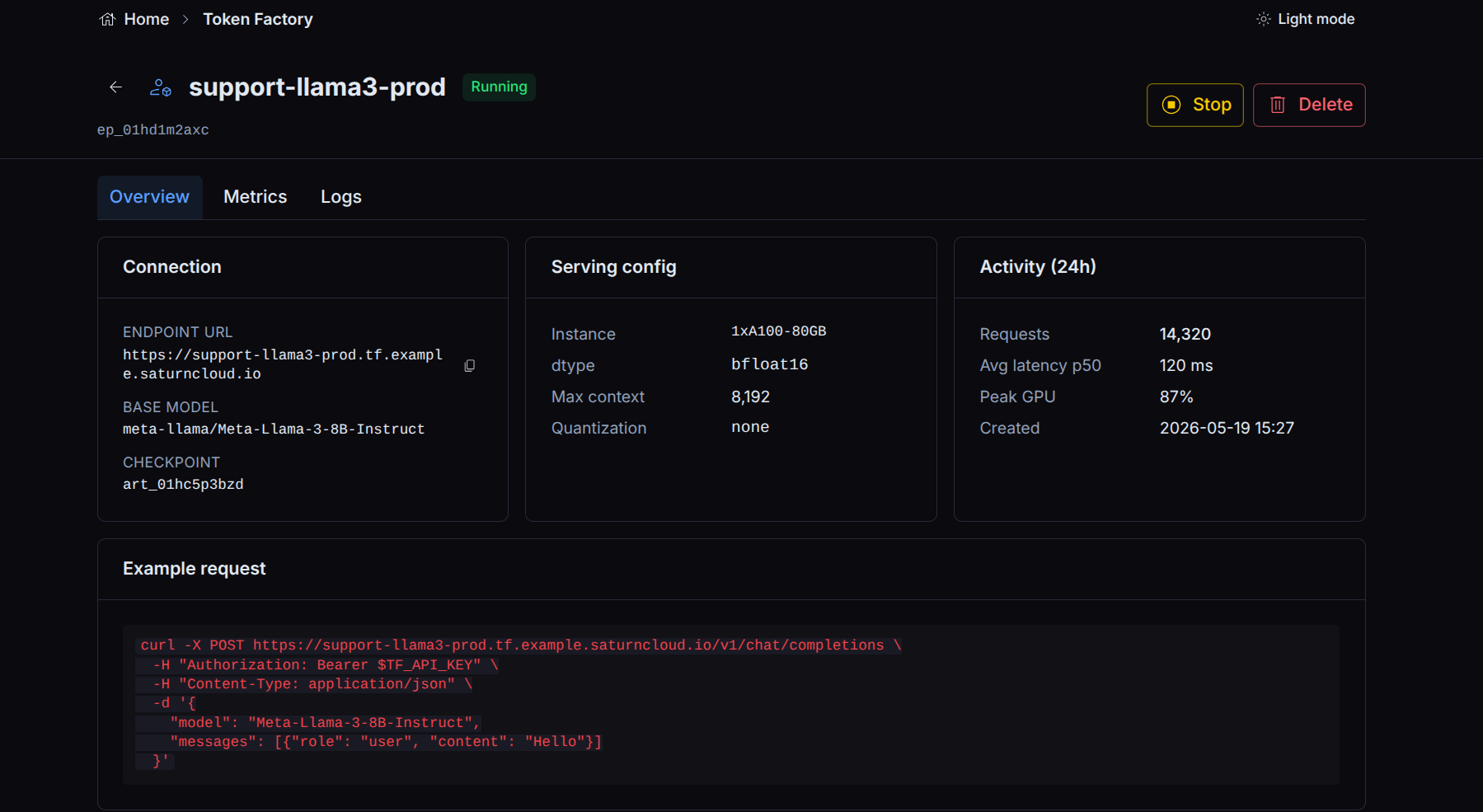
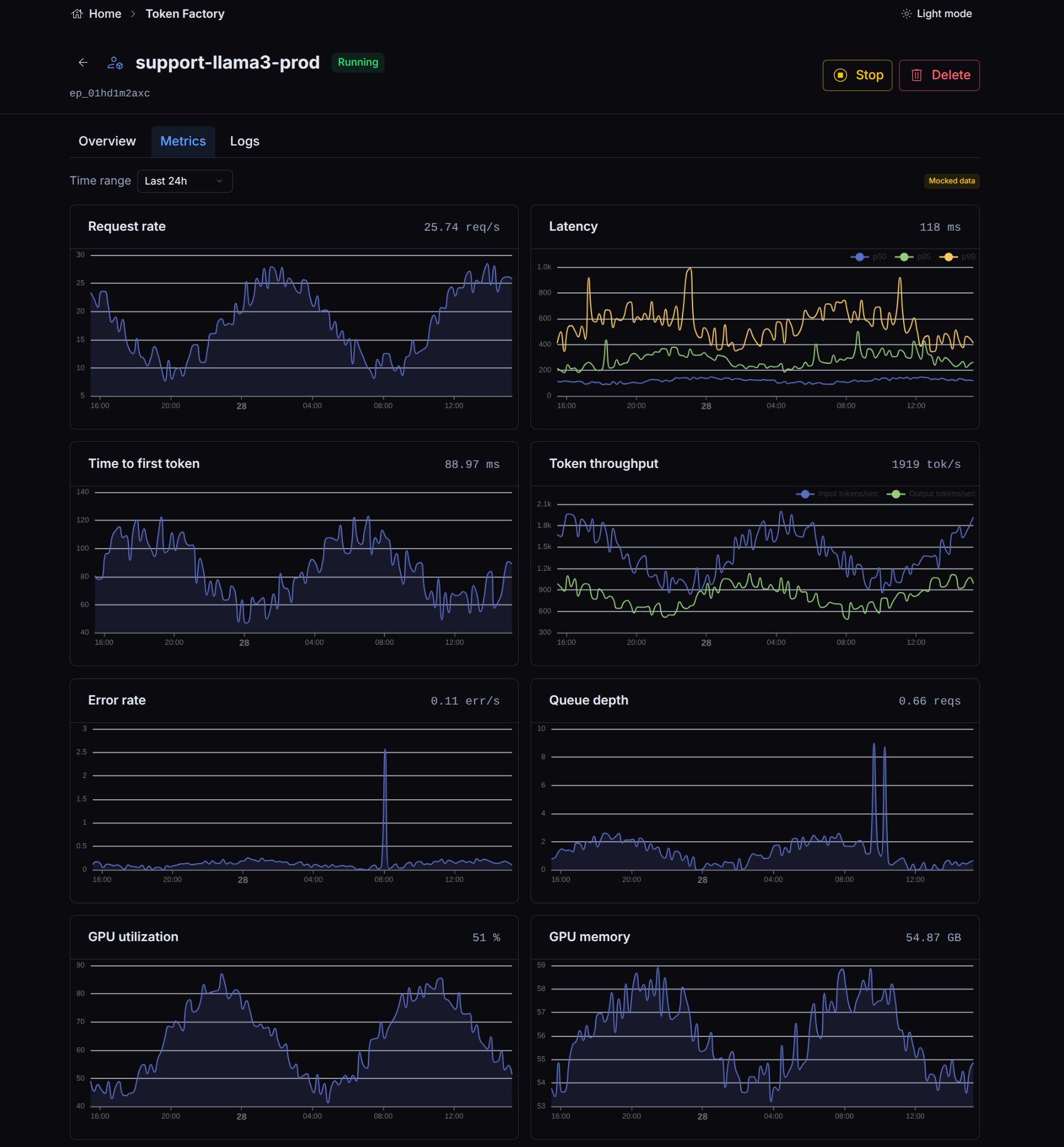
The Playground tab sends chat requests to the endpoint from the browser. A Metrics tab tracks request rate, latency, time to first token, token throughput, and GPU use over time.
Managing endpoints
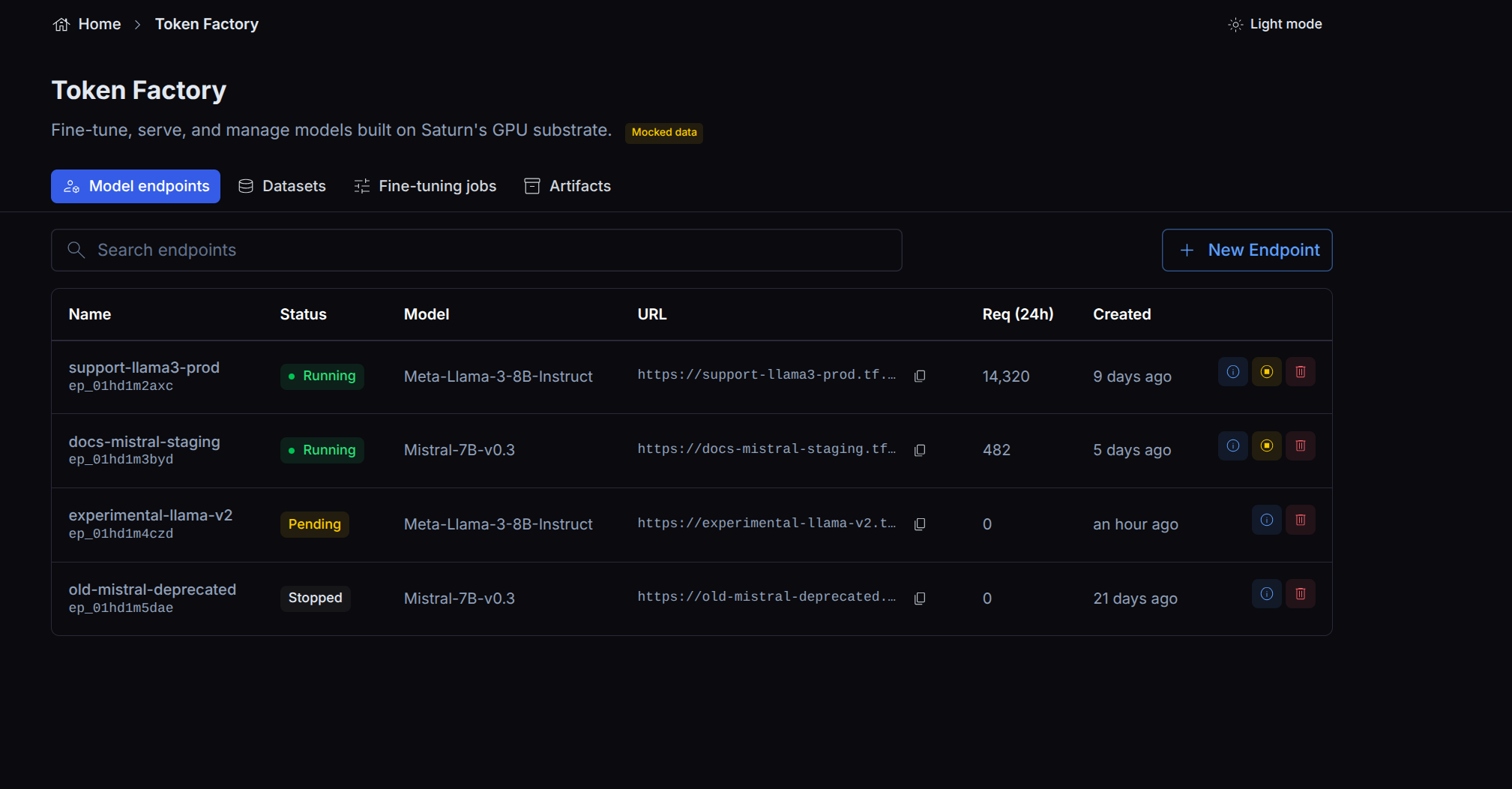
Token Factory lists your endpoints with their status, and lets you stop and remove an endpoint when you no longer need it.
Lifecycle and the checkpoint
An endpoint holds a read-only reference to its checkpoint for as long as it runs. A checkpoint that an endpoint is actively serving cannot have its underlying bytes reclaimed: deletion of a checkpoint with active consumers is blocked, and byte reclamation only happens once every endpoint that read it has stopped. This means you can delete a checkpoint record without disrupting an endpoint that is still serving it; the cleanup waits for the endpoint to go away.
Cost
A dedicated endpoint consumes its GPUs for as long as it runs, whether or not it is receiving traffic. Stop endpoints you are not using. For workloads that do not need a model resident at all times, a fine-tuning job or a batch Job may fit better.