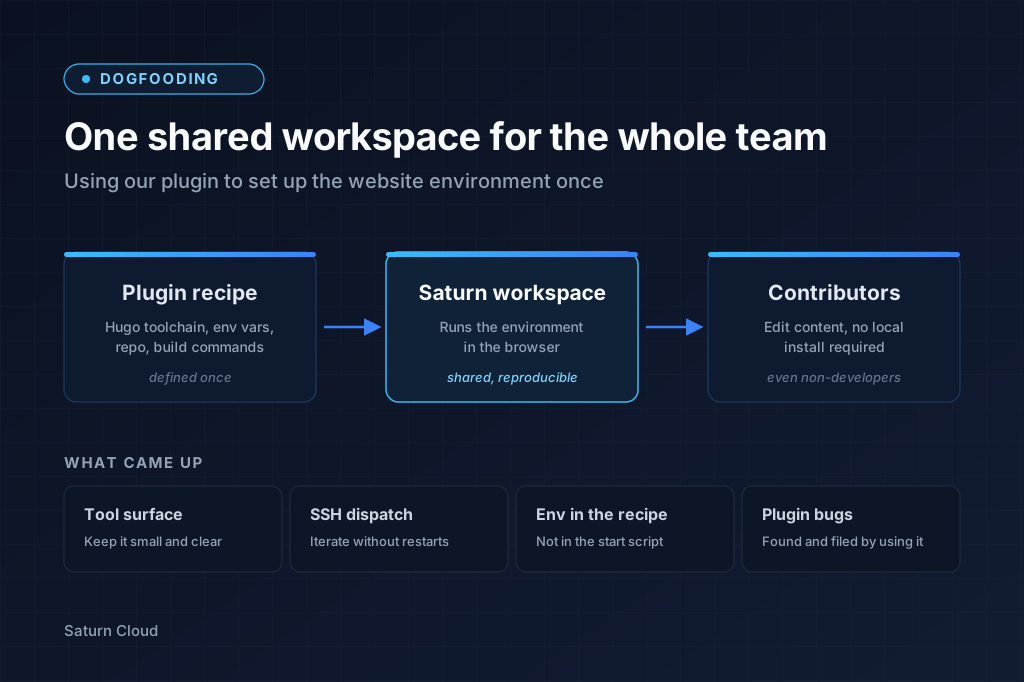
This website is built with Hugo. Some of our contributors are content writers, marketers, and designers, not developers. Getting Hugo, Go, Node, and the right theme dependencies installed on a new laptop is enough friction to stall a small content change. We wanted “edit the site” to mean opening a workspace that already had the environment set up, regardless of what was on the contributor’s machine.
We used our Claude Code plugin for Saturn Cloud to set it up. This post is what came out of that.
The workspace
One shared Saturn workspace, owned by a website group rather than an individual user. Group ownership is the right primitive when multiple teammates need to share a single resource: one URL, one persistent home directory, one toolchain install.
Two entry points:
- A non-developer opens the workspace in a browser, gets a JupyterLab terminal with
hugo serveon PATH, and previews their content edit through a Saturn-managed URL. - An engineer runs
saturn_ssh_setup(identity="website")once on a laptop, thenssh website-claudelands them in the same workspace with the same files.
The recipe is idempotent, the toolchain persists across restarts via the workspace’s home directory, and recipe changes propagate to every teammate on the next restart.
Four things that came up
Tool surface
Every MCP tool’s JSON schema sits in every conversation that loads the plugin. Eight tools cost roughly 2–3K tokens of permanent overhead. Surfacing all 87 methods of Saturn’s high-level client plus the 30 modules of the low-level client would push that past 30K. That’s the cost of every user turn, before any work happens. The model also picks wrong when faced with dozens of similarly-named methods, so a smaller curated surface is also easier to use correctly.
The plugin gained five new tools in this session, all for SSH key management because SSH setup is a recurring task across users. One-off admin work doesn’t earn a tool. The plan for the rest is a generic saturn_api_call(method, path, body) tool that hits the raw REST endpoint, with the skill file teaching the agent when to reach for it.
SSH dispatch instead of restart-driven iteration
Our first start_script had bugs. So did the second. Install scripts always do before they’re tuned, because the first draft makes wrong assumptions about PATH, missing dependencies, and sudo behavior, and you only find out at runtime.
Saturn workspaces take a minute or two to start, so the fix-and-restart loop was slow. The faster path was to SSH into the running workspace, edit the script in place, run it, see what breaks, fix it, then lift the working commands back into the recipe. Saturn already had start_ssh support on recipes; we just needed SSH key management tools and a way to fetch the workspace’s ssh_url. Both went into the plugin.
For long-lived compute (IDE sessions, training jobs), the workspace is the dev loop and the recipe is the production deploy.
Env vars in the recipe, not in the start script
One rule got added to the plugin’s skill file:
Prefer
environment_variablesin the recipe over exporting instart_script. Variables set in the recipe are available to every process in the container: Jupyter kernels, SSH login shells, the start script itself. Exporting instart_scriptonly affects that script’s own shell; child processes the user spawns later won’t see them.
The exception is shell expansion. environment_variables values are stored literally, with no $HOME interpolation and no command substitution. If a value depends on expansion (export PATH=$HOME/.local/bin:$PATH), it has to live in start_script, with appends to ~/.profile and ~/.bashrc so interactive shells inherit it.
This came up because the first draft of the start_script ran npm config set prefix ~/.npm-global, which set the prefix for that script’s shell only. Moving NPM_CONFIG_PREFIX into environment_variables fixed it everywhere.
Plugin bugs
Three real plugin bugs showed up that weren’t going to come out of a normal test suite:
saturn_start_resource,stop_resource,delete_resource,get_logs, andsaturn_schedule_jobaccepted aresource_namebut didn’t forwardowner_nameto the underlying lookup. Group-owned resources could be created and read, but not started or stopped.saturn_get_resourcereturned saturn-client’s trimmed recipe shape, which omitsssh_url. The field is there in saturn-api’s full workspace object. A newsaturn_get_ssh_urltool reaches past the wrapper.- uvx caches plugin builds by
(name, version, source path). Source-only changes that don’t bump the version don’t bust the cache, so a new tool can silently fall back to a stale build. Fix: derive the plugin’s version from git so every commit invalidates the cache.
All three surfaced because the LLM exercised paths nobody had thought to test.
Try the plugin
The plugin lives at github.com/saturncloud/claude-plugin. Install instructions are in the previous post.