We wanted to know whether Claude Code could drive Saturn Cloud end-to-end: not just describe API calls, but actually create resources, debug failures, and iterate without a human switching tabs to the dashboard. So we built a plugin and tried it.
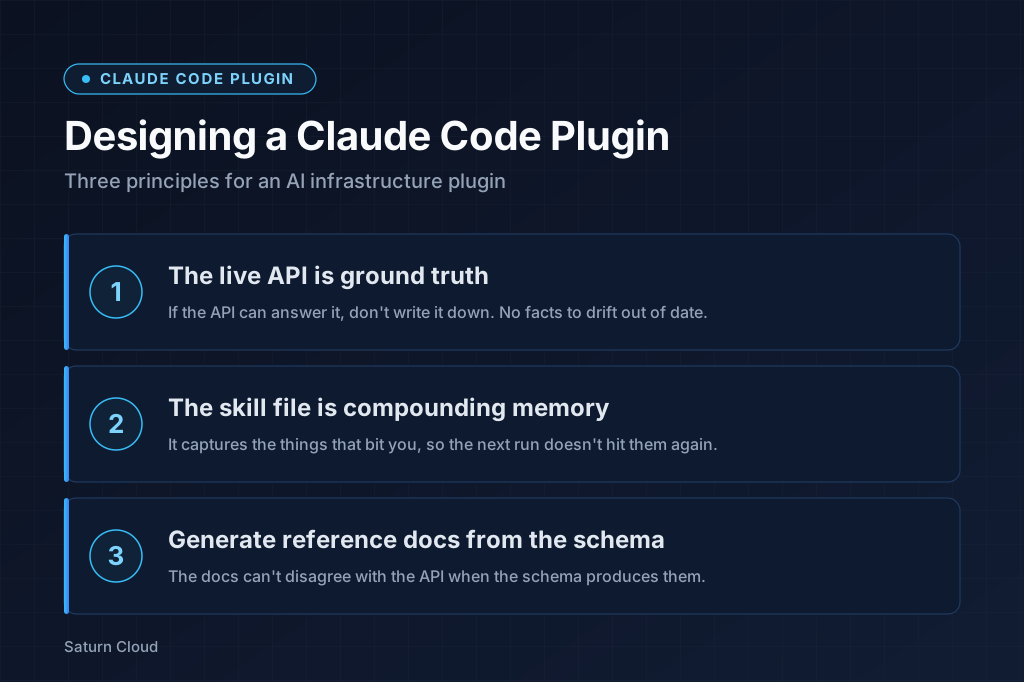
After using it to build a working ML pipeline on Saturn, three design choices stood out as the ones that mattered. This post is about those choices.
What the plugin is
The plugin has three components, deliberately small:
- An MCP server that exposes Saturn Cloud’s API as nine tools the agent can call (
saturn_list_resources,saturn_get_resource,saturn_apply_recipe,saturn_delete_resource,saturn_start_resource,saturn_stop_resource,saturn_schedule_job,saturn_get_logs,saturn_list_instance_types). - A skill file (
skills/saturn/SKILL.md) carrying Saturn-specific operational knowledge the agent should apply by default. - A generated recipe reference (
skills/saturn/recipe-reference.md) produced from Saturn’s Pydantic models so the schema documentation never drifts from the API.
The three pieces reinforce each other in ways we didn’t expect when we started.
Principle 1: If the API can answer it, don’t write it down
The first design rule we settled on isn’t about agents at all. It’s about plugin authors. Anything you write into a tool description, a skill file, or an example becomes a copy of something the API already knows. Copies drift. The API doesn’t. So the question for every fact about the platform isn’t “where should we document this?” The question is “can the agent fetch this at call time instead of reading our description of it?”
When the answer is yes, build a tool that fetches it, and leave the static artifacts thin.
Three concrete moves fall out of this:
Every list tool needs a corresponding get tool, and the get tool should return the full representation, not a summary. saturn_list_resources tells the agent which resources exist; saturn_get_resource tells it what those resources actually look like. The first time we hit a recipe shape mismatch during the demo build, the agent recovered by listing Jobs, fetching a working one’s full recipe, and copying the live shape. That’s only possible if get returns the real thing, not a summary.
as_template=true saves the agent from juggling input vs. output fields. saturn_get_resource takes a flag that strips runtime state and returns a recipe shaped exactly for saturn_apply_recipe. Read a resource, edit, apply. The round-trip works without the agent having to know which fields are server-populated.
Enums get their own list tool. saturn_list_instance_types was a late addition. Before it existed, the agent guessed instance type names from the skill file and was wrong roughly a third of the time. Once it could call the API, the misses stopped. The cost is one endpoint per enum-shaped input; the benefit is the agent never has to trust a written list that might be stale.
The reason these three feel related is that they’re all the same move: replace something the plugin describes with something the plugin fetches. A skill file listing the right instance types would have been easier to write than saturn_list_instance_types. It would also have been wrong as soon as Saturn added a new size.
Principle 2: The skill file is for the things that bit you
The MCP gives the agent in-session access to the platform. The skill file gives it knowledge that carries between sessions.
skills/saturn/SKILL.md is loaded at the start of every session that uses the plugin. It’s not a manual; it’s a short record of operational details that don’t belong in the schema. Things that are true about how Saturn behaves but that you can’t read off a Pydantic model.
A few entries from the current file:
- Saturn runs
commanddirectly viaexec, not through a shell. Pipes,&&, redirects, variable expansion all fail. Usebash -lc "..."or setworking_directoryon the recipe. - Saturn’s deployment proxy targets container port 8000. Services must bind
0.0.0.0:8000, notlocalhost:8000. - MLflow 3.x behind the Saturn proxy needs
--allowed-hosts '*' --cors-allowed-origins '*'. - Resources that need to call other Saturn services need an un-scoped
token_scope: nullon their recipe.
Each of these is a failure mode someone hit once. None are derivable from the recipe schema. All are applied by default in any future session.
The bar for inclusion isn’t “is this true?” Most of the recipe reference is true and doesn’t belong in the skill file. The bar is “would the next agent re-hit this without the note?” That keeps the file short (currently a few hundred words of prose plus a “Critical Pitfalls” section) and organized by what fails rather than by API surface area.
New entries get added when a session ends with a lesson, not when a feature ships. If a session hits a Saturn-specific gotcha and resolves it, asking the agent to append a one-line note to SKILL.md is enough. The next session inherits it.
That compounding is the part we didn’t expect. Every session leaves the file slightly more useful. New users start from the post-mortem of previous users, without anyone running a docs sprint.
Principle 3: Generate the reference docs from the schema
The recipe reference is the second-largest file the agent loads. It documents every field on every recipe type: which fields are common across Workspaces, Jobs, and Deployments, which are spec-specific, how nested objects like extra_packages and dask_cluster are shaped, what each field’s type and default are.
We tried writing it by hand first. It drifted in days. The recipe schema is defined in Saturn’s saturn-api repo as Pydantic models, and those models are what’s actually enforced at apply time. Anything hand-written alongside them is a copy that can rot.
scripts/generate_recipe_reference.py walks the Pydantic models, renders types into readable form (handling Optional, Literal, List, Dict, enums, nested models), and writes a markdown reference. Common fields get a shared table; spec-specific fields get one table per resource type; nested objects get their own sections. Hand-written prose lives in a separate DESCRIPTIONS dictionary keyed by field name, so descriptions can be edited without touching the structure.
One command refreshes it:
python scripts/generate_recipe_reference.py > skills/saturn/recipe-reference.md
The rule we settled on: anything that can drift gets generated. Field lists, type signatures, enum members, default values all derive from the schema. Anything that can’t be derived (when you’d want a field, what to watch out for) lives in the skill file or in the Pydantic field descriptions themselves. The split is roughly “what is” vs. “what to do about it.”
Because the recipe reference is exhaustive and current, the skill file doesn’t have to be either. It can stay short and focused on the tricky parts, because the agent has the full schema one tool call away.
What this looked like in practice
We used the plugin to build an ML pipeline end-to-end in a single Claude Code session, ingestion through model deployment, with lineage across DVC dataset versions, Feast feature views, and MLflow runs. Six recipes, four Python files, one notebook, all created and debugged through the plugin’s MCP tools. The full demo is on the demo/saturn-data-pipeline branch of saturncloud/examples.
The build cadence was the part that surprised us. The usual loop (write recipe, paste into dashboard, watch it fail, switch tabs to logs, fix recipe, repeat) became a single conversation. The agent wrote the recipe, applied it, read the logs on failure, fixed the recipe, and reported back when it worked. The pipeline itself is commodity. It being buildable in one session is the data point.
Over the course of that build, the plugin picked up:
saturn_list_instance_types, added after the agent guessed an instance type wrong.- An auto-generated
recipe-reference.md, after the hand-written version drifted. - Several new
SKILL.mdentries (port conventions, MLflow proxy flags, token scopes), one for each first encounter with a Saturn-specific gotcha.
None of those changes were planned at the start. They fell out of the build itself, and each one makes the next session faster.
Try it
The plugin is open source at saturncloud/claude-plugin. To use it in your own Claude Code sessions:
- Add the marketplace and install the plugin (run these inside a Claude Code session):
/plugin marketplace add saturncloud/claude-plugin /plugin install saturn-cloud@saturn-local - Export your Saturn credentials in the shell you launch Claude Code from:
export SATURN_BASE_URL=https://app.community.saturnenterprise.io # or your install export SATURN_TOKEN=<token from Settings → API Tokens> - Restart Claude Code so the MCP server picks up the env vars, then ask Claude to do something Saturn-shaped:
list my workspaces,apply this recipe,start the website-claude workspace.
If you don’t have a Saturn Cloud account yet, the Hosted plan is the fastest way to a working SATURN_TOKEN. If you’re building something similar for your own platform, we’d be glad to compare notes.